

AI tools have quickly become part of every product photography workflow. From background removal to generative visuals, there’s no shortage of solutions promising faster production and better results.
But most lists miss a key point: AI tools don’t work in isolation — they depend entirely on the quality of your input.
The same tool can produce vastly different results depending on whether it’s applied to inconsistent images or clean, professional product photography.
At Squareshot, we see this shift clearly.
The most effective workflows today don’t replace photography with AI — they combine them:
- Professional product photos (on white) as a foundation
- AI tools to scale, adapt, and generate new visuals
This turns a single shoot into a repeatable system for producing high-quality images across channels.
In this guide, we’ll break down the best AI tools for product photos — and where they actually fit in a modern production workflow.
How AI Fits Into Product Photography Today
AI is no longer just a post-production shortcut. It’s part of a broader system that allows brands to produce more visuals, faster, without sacrificing quality.
A modern product photography workflow looks like this:
- Capture clean, consistent product images (ideally on white)
This stage sets the foundation. Controlled lighting, accurate color, and minimal distractions ensure that the product can be easily extracted, edited, and reused across different contexts. - Enhance and standardize images using AI tools
AI handles tasks like background removal, color correction, retouching, and sharpening — ensuring every image meets consistent quality standards across the entire product catalog. - Generate new variations and concepts
Using generative AI, brands can place products into lifestyle scenes, test different creative directions, or produce campaign-ready visuals — all without additional shoots. - Adapt visuals for different platforms
The same base image can be automatically resized, cropped, and reformatted for Amazon, Shopify, paid ads, and social media, while maintaining composition and product focus. - Scale output across catalogs and campaigns
Instead of producing visuals per campaign, brands can continuously generate new assets from an existing library — supporting faster launches, seasonal updates, and ongoing testing.
The key shift is simple: Photography is no longer the final output — it’s the input layer for scalable visual production.
In this model, the value of a product shoot is no longer limited to the images delivered. It becomes a long-term asset, a structured, high-quality input that can power dozens of outputs across channels, formats, and campaigns.
AI Background Removal Tools (Production Efficiency Layer)
Background removal used to be one of the most time-consuming and labor-intensive steps in product photography. Retouchers would manually trace edges, refine masks, and clean up details — often spending several minutes per image.
Today, AI tools can handle this process in seconds, making it possible to process hundreds or even thousands of images in a fraction of the time.
But speed alone isn’t the real advantage.
The real shift is that background removal has become predictable and scalable, especially when working with clean, well-lit product images. Instead of treating each image as a custom retouching task, brands can now rely on consistent outputs across entire product catalogs.
This is particularly important for e-commerce, where:
- white or neutral backgrounds are required (Amazon, Shopify)
- visual consistency directly impacts conversion rates
- large SKU counts make manual workflows impractical
Remove.bg
One of the fastest and most reliable tools for background removal, particularly effective for high-volume workflows.
It excels at handling clean product images with minimal noise, delivering accurate cutouts with very little manual correction required.
Best for:
- Bulk image processing at scale
- Clean edge detection, even on complex shapes
- API-based automation for integrated workflows
Photoroom
Photoroom extends beyond simple background removal by combining extraction with instant background replacement.
This allows teams to move directly from raw product images to ready-to-use visuals — without additional design or compositing work.
Best for:
- Generating lifestyle scenes from studio images
- Applying branded templates at scale
- Refreshing visuals without scheduling new shoots
Key capabilities across tools
Modern AI background tools are no longer just “cutout tools.” They function as part of a broader production pipeline:
- Accurate edge detection — handling fine details like fabric edges, transparency, and complex silhouettes
- Shadow preservation or recreation — maintaining natural depth instead of flat cutouts
- Batch processing — enabling thousands of images to be processed consistently
- Marketplace-ready exports — optimized formats for Amazon, Shopify, and other platforms
These tools perform best when the original image is consistent — with clear edges, controlled lighting, and accurate color.
When applied to high-quality product photography (especially on white), background removal becomes not just faster, but fully reliable, turning what was once a bottleneck into a seamless step in a scalable workflow.
Generative AI Tools (Variation & Concept Scaling Layer)
Generative AI tools like Midjourney and DALL·E 3 are often positioned as standalone solutions capable of replacing traditional product photography. In practice, their most reliable and commercially viable use case is different.
They become significantly more effective when used alongside real product photography, not instead of it.
On their own, generative models lack access to a product's physical truth. As a result, they often struggle with:
- Accurate proportions — slight distortions can make products look unrealistic
- True-to-life textures — materials like fabric, glass, or metal are difficult to replicate consistently
- Consistent color reproduction — especially critical for e-commerce, where color accuracy affects returns
These limitations make fully AI-generated product images unreliable for PDPs and conversion-focused use cases.
However, when generative AI is applied to a clean, high-quality product image, the role of these tools changes entirely.
Instead of guessing what a product looks like, AI can now build around a verified visual base, enabling:
- Lifestyle environments — placing products into realistic, on-brand settings
- Campaign-style visuals — creating high-end compositions without full production shoots
- Seasonal variations — adapting visuals for holidays, promotions, or launches
- Social media creatives — generating multiple content variations for testing and iteration
This is where generative AI shifts from experimentation to production infrastructure at scale.
Instead of producing one final image per shoot, brands can now generate dozens of variations from a single asset, dramatically increasing output without increasing production effort.
Midjourney
Best for: Concept development, stylized environments
Midjourney excels at generating visually rich, highly stylized scenes. It’s particularly useful during early creative exploration or when developing campaign directions.
Strength:
- High-quality, artistic outputs
- Strong aesthetic control for mood and style
DALL·E 3
Best for: Fast mockups and rapid image generation
DALL·E 3 offers a more accessible and flexible way to generate visuals quickly, making it useful for testing ideas and producing multiple creative directions.
Strength:
- Ease of use
- Seamless integration with existing tools and workflows
Adobe Firefly (Photoshop)
Best for: Editing and extending real product images
Firefly is one of the most practical tools for production workflows because it works directly with existing photography. Instead of generating images from scratch, it enhances and expands real visuals.
Strength:
- Generative Fill for extending backgrounds
- Adding or removing props
- Adjusting composition while maintaining realism
Stable Diffusion
Best for: Advanced users and custom workflows
Stable Diffusion provides full control over the image generation process, including the ability to train models on specific products or brand styles.
Strength:
- Custom training capabilities
- High flexibility for tailored outputs
While generative tools are powerful, they work best as an extension of real photography, not a replacement for it.
When grounded in clean, consistent product images, generative AI becomes a reliable way to scale visual production — turning a single shoot into a flexible system for creating high-performing visuals across channels.
Smart Cropping & Composition Tools
Different platforms require different image formats — and manual cropping doesn’t scale when you’re working with dozens or hundreds of SKUs.
What used to be a simple resizing task has become a multi-format production requirement. The same product image now needs to exist in multiple versions:
- Square (Amazon, Instagram feed)
- Vertical (Stories, TikTok, Pinterest)
- Horizontal (banners, paid ads, landing pages)
Each format has its own rules — and more importantly, its own conversion logic. Cropping is no longer just about fitting an image into a frame. It’s about preserving:
- Product visibility
- Visual balance
- Key product details and features
AI-powered cropping tools solve this by analyzing composition and automatically adjusting framing to maintain impact across formats.
Claid.ai
Best for: Automated cropping and resizing for e-commerce workflows
Claid.ai is designed specifically for product imagery, ensuring that the product remains the focal point regardless of format.
Key capabilities:
- Maintains product centering and prominence
- Automatically adapts to multiple aspect ratios
- Preserves margins and spacing for marketplace requirements
This is особенно useful when preparing large product catalogs for platforms with strict formatting rules.
Adobe Sensei (Lightroom & Photoshop)
Best for: Intelligent composition adjustments within editing workflows
Adobe Sensei powers smart cropping features across Adobe tools, using image recognition to identify the subject and optimize framing.
Key capabilities:
- Keeps the product centered and fully visible
- Adjusts composition based on format (square, vertical, horizontal)
- Integrates seamlessly into existing editing pipelines
Why this matters for e-commerce
Scaling visuals across platforms isn’t just about quantity — it’s about consistency and performance.
Smart cropping becomes essential when adapting visuals for:
- Amazon — strict white background, centered product
- Shopify — flexible layouts, but consistent framing required
- Instagram — visual-first, requires strong composition in square/vertical formats
- Paid ads — multiple aspect ratios for testing and placement optimization
Without automation, this process becomes repetitive and error-prone. With AI, it becomes a repeatable system, ensuring every image is optimized for its destination without manual intervention.
In a scalable workflow, cropping is no longer a final step. It’s part of a broader system that ensures every product image performs consistently across channels, without requiring separate production for each format.
Why the Input Matters More Than the Tool
All AI tools share the same core limitation: They amplify the quality of the input they receive.
No matter how advanced the technology is, it doesn’t fundamentally correct an image, it builds on top of it. That means any weaknesses in the original file carry through into every output. If the image has inconsistent lighting, the AI will struggle to interpret depth and shadows. If the color is off, that inaccuracy will repeat across variations. If the quality is low, the results become unstable and difficult to use in real production.
In other words, AI doesn’t eliminate problems — it scales them.
But when the input is strong, the opposite happens. Clean, standardized product photography gives AI a stable and reliable base to work from. With accurate color, controlled lighting, and clearly defined edges, the system no longer has to “guess” what the product looks like. Instead, it can focus on extending that image into new contexts, generating variations that remain consistent, scalable, and production-ready.
This is why more brands are shifting toward a hybrid model:
Professional product photography → AI-powered visual generation


Instead of starting from scratch for every campaign or asset, they build a structured library of high-quality product images. That library becomes a long-term asset — one that can be continuously expanded with AI to support new visuals as needed.
From One Shoot to Unlimited Visuals
With the right foundation in place, AI tools unlock a fundamentally different way of producing content.
A single product shoot is no longer limited to a fixed set of deliverables. Instead, it becomes the starting point for generating a wide range of visuals — from lifestyle imagery and campaign assets to seasonal updates and platform-specific creatives. The same product can be placed into different environments, adapted for new formats, and reused across channels without being photographed again.
This is where the production model changes. Instead of planning and executing new shoots for every campaign, brands can generate new visuals from existing assets, on demand.
At Squareshot, this approach combines clean, on-white product photography with AI-powered visual generation. The result is a system that allows brands to produce high-end visuals faster, with greater consistency and significantly less operational overhead.
Rather than increasing production effort to increase output, brands can scale content efficiently — reducing turnaround time, lowering costs, and creating more opportunities for testing and iteration.
How to Choose the Best AI Tools for Product Photos
Choosing the right AI tools depends less on what’s technically possible and more on what your workflow actually requires.
For high-volume e-commerce teams, the priority is efficiency and consistency. Tools that automate background removal, batch processing, and color correction help standardize large catalogs and reduce manual workload. These are the systems that keep production scalable as the number of SKUs grows.
For creative teams, the focus shifts toward exploration and variation. Generative AI tools become more valuable here, allowing teams to test different visual directions, create campaign concepts, and produce multiple versions of the same asset for different channels.
In practice, the most effective setups combine both approaches. Core workflow tools handle the repetitive, production-heavy tasks, while specialized AI tools are used to expand creative output and generate new visuals when needed.
The key is to prioritize tools that solve real bottlenecks in your process — not just those with the most advanced features.
Final Thoughts
AI has transformed product photography — but not by replacing it.
Instead, it has changed how photography is used.
Rather than being the final step in production, photography now serves as the foundation for everything that follows. AI builds on top of that foundation, extending images into new formats, contexts, and use cases without requiring additional shoots.
The most effective workflows combine structured, high-quality product photography with AI tools that scale and adapt visuals over time. This is where AI delivers real value — not as a shortcut, but as a multiplier.
One shoot - endless possibilities.
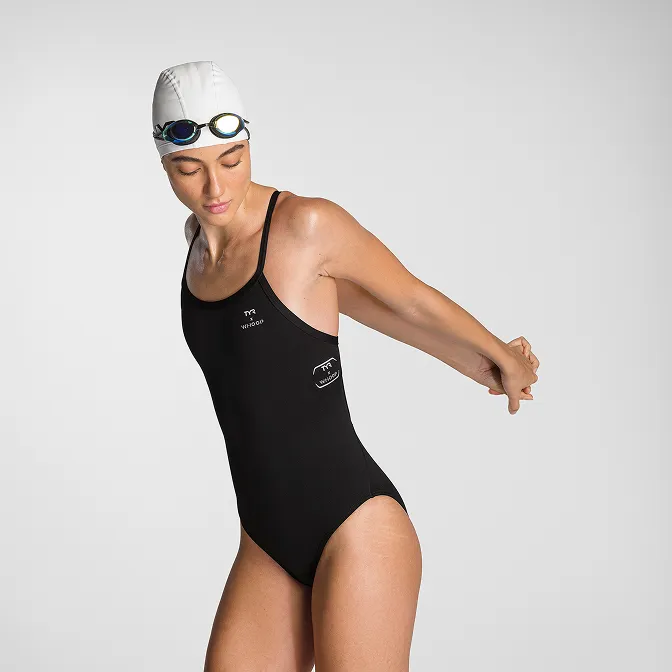
Product A
SQUARE SHOT
%201.jpg)