

Your Amazon main image is the first impression potential customers have of your product. It appears in search results, on product detail pages, and influences whether shoppers click or scroll past. Getting this single image right can dramatically impact your conversion rates, yet many sellers struggle with Amazon's strict requirements and competitive visual standards.
Understanding Amazon's main image best practices isn't just about compliance; it's about creating a compelling visual that stands out in crowded search results while meeting Amazon's technical specifications.
Understanding Amazon's Core Main Image Requirements
Amazon enforces strict technical standards for main product images to maintain consistency across its marketplace. Your main image must feature a pure white background with RGB values of 255, 255, 255. This isn't negotiable, and Amazon's automated systems actively scan for non-compliant images.
The product itself must occupy at least 85% of the image frame. This ensures customers can clearly see what they're purchasing without excessive white space diluting the visual impact. Here's what you need to know about technical specifications:
Amazon's product image requirements emphasize that the zoom feature activates only when images meet the 1000-pixel minimum. Since customers who zoom are more likely to purchase, hitting at least 2000 pixels on the longest side gives you a competitive advantage.
The Pure White Background Challenge
Achieving a truly pure white background is more challenging than it sounds. Off-white, cream, or light gray backgrounds will trigger rejections from Amazon's review system. Many sellers struggle with this requirement, especially when photographing products with complex shapes or transparent elements.
Professional white-background studio setups use specific lighting techniques to ensure the background appears pure white without overexposing the product. This involves:
- Multiple light sources positioned to eliminate shadows
- Proper white balance calibration
- Post-processing adjustments targeting the background only
- Color profile management ensuring sRGB compliance
If you're shooting products yourself, investing in a lightbox or sweep table with adequate diffused lighting makes it significantly easier to meet Amazon's main image best practices. However, many brands find that partnering with experienced product photographers saves time and reduces rejection rates.
Product Composition and Framing Strategies
Beyond technical requirements, how you compose your main image directly impacts click-through rates. The 85% coverage rule exists for good reason, but simply filling the frame isn't enough. Your product needs to be centered, properly oriented, and clearly identifiable at thumbnail size.
Consider these composition principles:
Orientation matters: Show products in their natural use position. Bottles should be upright, clothing should be front-facing, and electronics should display their primary interface. Amazon shoppers scroll quickly through search results, and disorienting angles create confusion.
Single product only: Your main image can show only one unit of your product, even if it's sold in multipacks. Accessories, packaging, props, and lifestyle elements are prohibited. The focus must remain entirely on the product itself.
Complete product visibility: Every part of the product should be visible. No cropping, no partial views, no artistic angles that hide features. If you're selling a set, show the complete set arranged neatly within the frame.
Category-Specific Composition Considerations
Different product categories have unique visual requirements that go beyond Amazon's basic rules:
- Apparel: Flat lay or ghost mannequin presentations work best. Show the full garment with sleeves and legs visible.
- Electronics: Display products at a slight angle, showing multiple sides when possible, ensuring screens or interfaces are prominent.
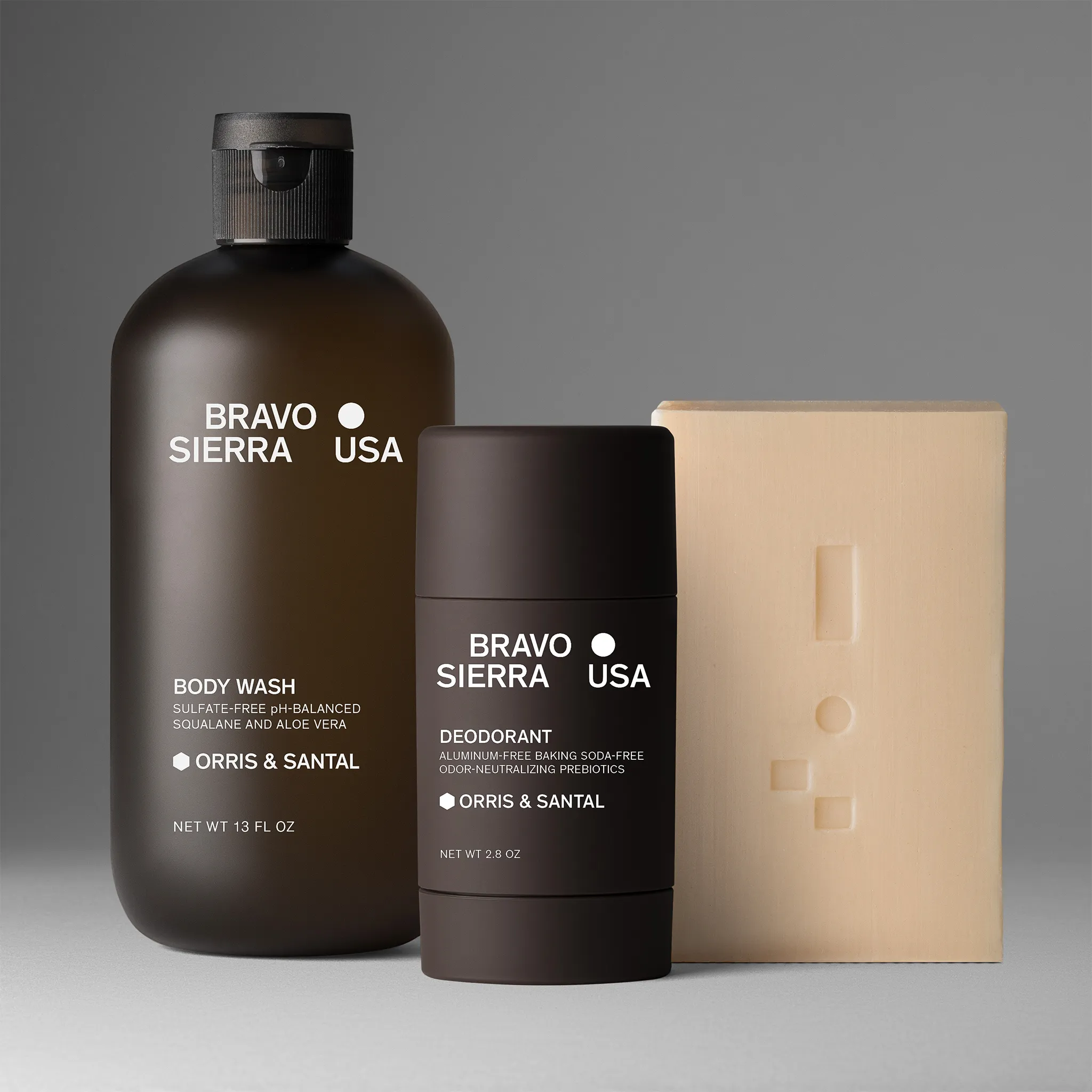
- Beauty products: Bottles and containers should face forward with labels clearly readable at thumbnail size.
- Home decor: Context-free presentation requires careful styling to convey size and quality without environmental props.
Understanding e-commerce image standards helps you create main images that convert across multiple platforms while meeting Amazon's specific requirements.
Lighting and Shadow Guidelines
Amazon main image best practices prohibit additional objects, text, graphics, or inset images. This extends to shadows and reflections, which many sellers overlook. While natural product shadows are acceptable, harsh drop shadows or artificial shadow effects violate Amazon's guidelines.
Professional lighting eliminates most shadow issues. The goal is even, diffused illumination that:
- Reveals product texture and detail
- Maintains accurate color representation
- Minimizes harsh shadows on the white background
- Creates subtle natural shadows that add dimension without distraction
Reflective products like jewelry, glassware, and polished metals require specialized lighting techniques. These items naturally create reflections, which Amazon allows as long as they're inherent to the product's material rather than added effects.
For sellers working with professional product photography services, communication about Amazon compliance is essential. Not all photographers specialize in marketplace imagery, and fashion or creative photographers may not be familiar with the platform's restrictive requirements.
Image Resolution and File Optimization
The minimum 1000-pixel requirement is just the starting point. Higher resolution images consistently outperform lower resolution ones in A/B testing. Amazon's data show that products with zoomable images have higher conversion rates, and better zoom quality leads to more confident buyers.
File size optimization matters because slow-loading images hurt conversion rates. Large file sizes also consume more bandwidth during Amazon's image processing. Use compression tools that reduce file size without degrading visual quality. JPEG quality settings between 85-95% typically provide the best balance.
Common resolution mistakes include:
- Upscaling low-resolution images artificially
- Using web-optimized images instead of high-resolution originals
- Inconsistent sizing across product variations
- Over-compression creates visible artifacts
When you're shooting products for Amazon, always capture at the highest resolution your equipment allows. It's easier to downsize a large image than to recover detail from a small one.
Prohibited Elements and Common Violations
Amazon actively scans main images for prohibited elements using both automated systems and human reviewers. Understanding what triggers violations helps you avoid delays and suppressed listings. According to Amazon's enforcement standards, the most common violations include:
Text and Graphics:
- Brand logos or watermarks
- Promotional text or badges
- Instructional callouts or arrows
- Award seals or certifications
Visual Elements:
- Borders or frames around the product
- Props or accessories not included with purchase
- Multiple products (unless sold as a set)
- Lifestyle backgrounds or contextual settings
Technical Issues:
- Backgrounds that aren't pure white
- Pixelated or blurry images
- Products covering less than 85% of the frame
- Color-corrected images that look unrealistic
The consequences of violations range from image rejection requiring resubmission to listing suppression that stops all sales. Repeated violations can result in account flags or suspension.
The Gray Area: Product Variations
One frequently misunderstood aspect of Amazon's main image best practices involves variation images. Each variation (size, color, pattern) needs its own compliant main image showing that specific option. You cannot use the same image across variations unless the products are visually identical.
For apparel, this means photographing every color option separately. For products with packaging variations, each package design requires its own main image. This requirement significantly increases production needs but ensures customers see exactly what they're selecting.
Color Accuracy and White Balance
Color representation must be truthful and accurate. Amazon prohibits color manipulation that makes products appear different from their actual appearance. This poses challenges for product photographers working with difficult-to-capture colors or materials that photograph differently from how they appear in person.
Professional color management involves:
- Calibrating monitors to industry standards
- Using color-correct lighting with proper CRI ratings
- Shooting in RAW format for maximum color flexibility
- Creating custom camera profiles for consistent results
- Verifying colors against physical samples
White balance errors are particularly problematic. A warm color cast might make white products appear cream or yellow, triggering rejections. Cool casts create blue or gray tints. Neither is acceptable under Amazon's guidelines.
Material-specific considerations include:
- Metallic finishes: Require careful lighting to show texture without blown-out highlights
- Deep blacks: Need adequate detail in shadows to avoid appearing flat
- Bright whites: Must show texture and form without overexposure
- Translucent materials: Require backlighting or specialized techniques
When colors consistently appear different in photos than in person, it's often a limitation of the camera sensor rather than a lighting issue. Professional photography services understand these technical challenges and have equipment capable of accurate color capture across different materials.
Mobile Optimization Considerations
Over 70% of Amazon traffic comes from mobile devices in 2026. Your main image must work effectively at thumbnail size on small screens. This reality influences every aspect of amazon main image best practices, from product framing to detail visibility.
Thumbnail testing should be part of your image approval process. View your main image at various sizes:
- Search results thumbnail (approximately 200px)
- Mobile product card (approximately 500px)
- Desktop listing (approximately 800px)
- Zoom view (full resolution)
Products with intricate details often struggle at small sizes. If your product's key features aren't visible at thumbnail size, reconsider your composition. Sometimes this means tighter framing or choosing a different angle that better communicates the product's nature.
Text Legibility in Product Labels
While you cannot add text to your main image, products with labels, packaging, or printed information must show that text clearly. Label legibility at thumbnail size often determines whether shoppers can identify your product in search results.
For products where the label is a key identifier (supplements, beauty products, packaged foods), position the product so the label faces forward and fills the frame adequately. The brand name and product type should be readable even at small sizes.
Quality Control and Testing Process
Professional sellers implement systematic quality control before uploading images to Amazon. This process catches compliance issues and quality problems before they trigger rejections or hurt conversion rates.
Your quality checklist should include:
Technical Verification:
- Background is pure white (RGB 255, 255, 255)
- Product covers 85%+ of the frame
- Image dimensions exceed 2000px on the longest side
- File format is JPEG with appropriate compression
- File name matches product identifier
- Color profile is sRGB
Visual Quality:
- The image is sharp and in focus throughout
- The product is properly lit without harsh shadows
- Colors accurately represent the physical product
- No dust, scratches, or imperfections visible
- Product orientation matches category standards
Compliance Check:
- No text, graphics, or watermarks present
- No props or accessories visible
- Single product only (unless a set)
- Product is completely visible, not cropped
- No prohibited elements or borders
Professional Photography vs. DIY Approaches
The decision between professional photography services and in-house production depends on several factors: product complexity, volume, budget, and quality standards. Understanding the trade-offs helps you make informed decisions.
DIY Photography Works When:
- You have simple, flat products
- Volume is low (under 50 SKUs)
- You have proper equipment and lighting
- Time isn't a critical constraint
- You understand technical requirements
Professional Services Make Sense When:
- Products have complex shapes or materials
- You need consistent quality across large catalogs
- Time-to-market matters for competitive reasons
- Your products require specialized techniques
- Retouching needs exceed basic adjustments
Many successful Amazon sellers use a hybrid approach. They handle simple products in-house and outsource complex items to specialists. This maximizes cost efficiency while ensuring all images meet Amazon's main image best practices.
The minimalist photography approach works particularly well for Amazon's main images, where clean, distraction-free presentation aligns perfectly with platform requirements.
Seasonal Updates and Continuous Improvement
Your main image isn't a set-it-and-forget-it element. Regular updates and A/B testing drive continuous improvement in click-through and conversion rates. While maintaining compliance, you can test different product angles, distances, and orientations to find the most effective presentation.
Seasonal considerations apply to certain categories. Holiday-themed packaging, for example, requires updated main images when the packaging changes. Updated product versions need new photography reflecting current specifications.
Market research matters too. Analyzing competitors’ main images in your category reveals presentation trends and opportunities. If competing listings show products at a particular angle or distance, there's usually a performance-based reason.
Testing methodology for main images:
- Create 2-3 compliant variations with different angles or framing
- Run images through thumbnail testing at various sizes
- Use Amazon's A/B testing tools if you have Brand Registry
- Monitor click-through rates and conversion metrics
- Implement the winning variation across similar products
Remember that changes to main images can temporarily impact sales as Amazon's algorithm adjusts. Plan tests during lower-traffic periods when possible, and maintain backup images of previous versions.
Advanced Retouching Within Compliance
Professional retouching elevates image quality without violating Amazon's rules. The key distinction is between enhancement and deception. You can remove dust, adjust exposure, correct colors, and clean backgrounds. You cannot add features, change colors dramatically, or make the product appear different from its actual appearance.
Acceptable retouching includes:
- Removing dust spots and minor imperfections
- Adjusting brightness and contrast for clarity
- Color correction to match the actual product
- Background cleanup to achieve pure white
- Shadow softening (not removal if natural)
- Minor perspective correction
Prohibited retouching involves:
- Adding reflections or effects not present
- Changing product colors beyond the actual appearance
- Removing product features or defects
- Adding elements not part of the physical product
- Creating composite images from multiple shots
The professional standard is that retouching should be invisible to customers. The final image should look like a perfectly captured photograph, not a manipulated composite. This requires skilled retouchers familiar with Amazon's specific requirements.
Working with services that optimize product images ensures your images meet technical standards while maximizing visual appeal within the allowed parameters.
Category-Specific Best Practices Deep Dive
Different Amazon categories have unique visual requirements beyond the universal main image rules. Tailoring your approach to your specific category improves both compliance and performance.
Apparel and Accessories
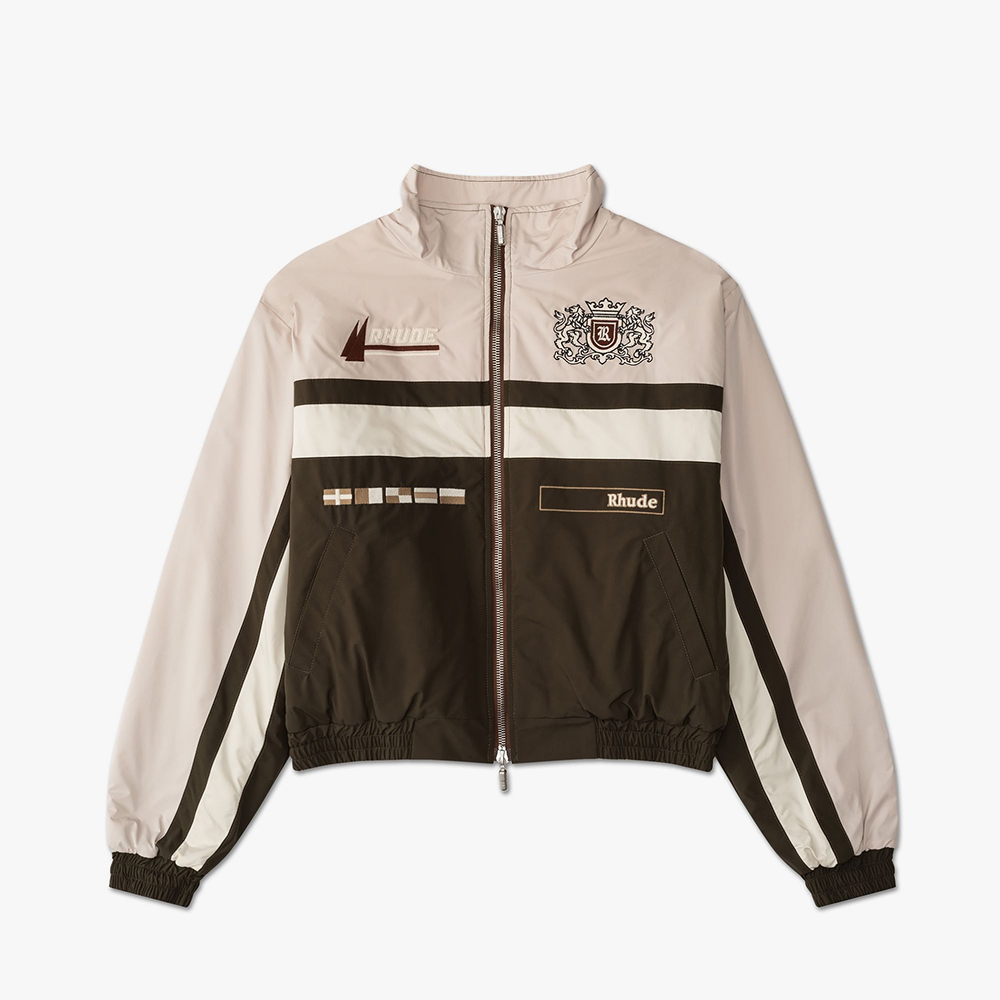
Clothing main images typically perform best with a flat lay or ghost mannequin presentation. The product should be styled to show natural drape and fit without visible mannequins, hangers, or human models. Professional clothing photography techniques focus on creating dimensionality while maintaining the pure white background.
Accessories like jewelry benefit from straight-on angles that show detail.

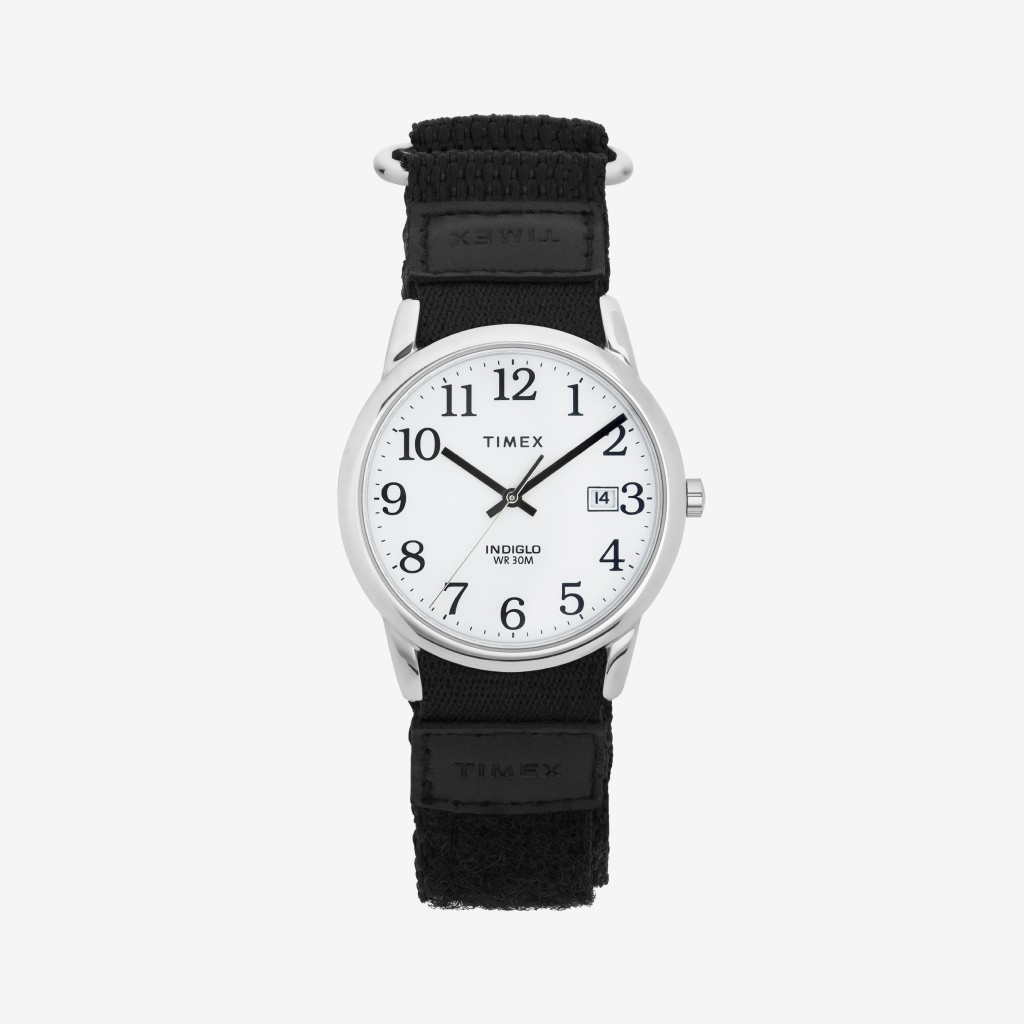
Watches should display approximately 10:10.
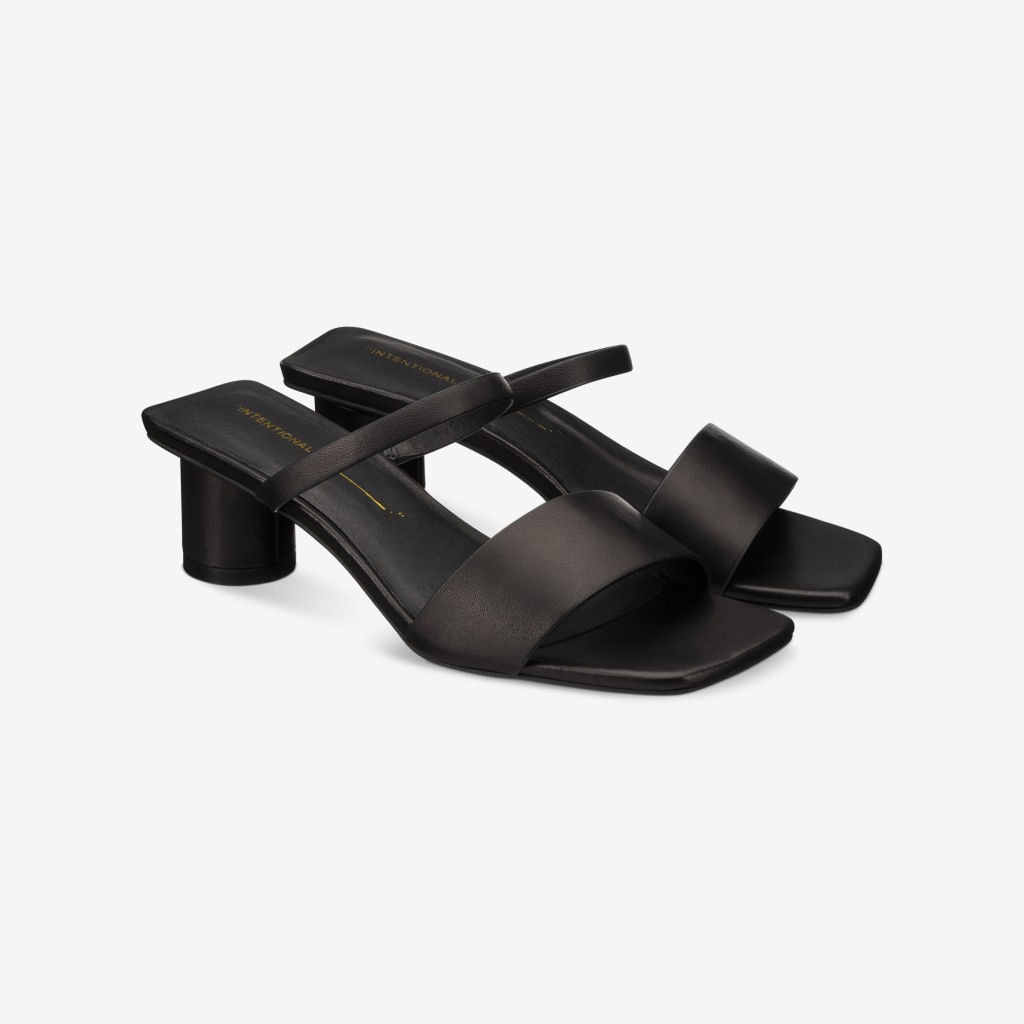
Shoes should face forward at a slight angle, showing the profile.
Electronics and Tech Products
Electronics main images should showcase the primary interface or screen. Phones and tablets look best at a slight angle, showing the screen and a partial side. Laptops should be open, displaying the keyboard. Smart home devices need angles that communicate their function immediately.
Beauty and Personal Care
Beauty products require label-forward presentation with brand names clearly visible. Bottles and containers should be upright and centered. For items with pumps or applicators, include those elements in the main image as they're part of the product.
%201.jpg)
Home and Kitchen
Home goods benefit from angles that communicate scale and utility. A mixing bowl photographed from slightly above shows a capacity better than a straight-on view. Textiles should show texture and weave detail at high resolution.
Understanding the best photography backgrounds helps you achieve the pure white requirement across different product types and materials.
File Management and Workflow Efficiency
For sellers managing large catalogs, efficient file management prevents errors and speeds up uploads. Systematic naming conventions, folder structures, and version control keep your image library organized.
File naming best practices:
- Use Amazon's required product identifier (UPC, EAN, ASIN)
- Add variation indicators (color, size) for multi-variation products
- Include version numbers for updates
- Maintain consistent formatting across all files
Folder organization:
- Separate folders for main images vs. additional images
- Subfolders by product category or collection
- Archive folders for previous versions
- Approved vs. pending review folders
Version control:
- Keep original high-resolution files separate from web-optimized versions
- Document retouching changes for future reference
- Maintain approval records showing the date and the reviewer
- Track performance metrics by image version
Automation tools can streamline bulk uploads and metadata management. However, always verify that automated processes comply with Amazon's main image best practices before processing large batches.
Competitive Analysis and Market Positioning
Your main image appears alongside competing products in search results. Strategic analysis of competitor images reveals opportunities to stand out while maintaining compliance. Look for patterns in how successful competitors present similar products.
This comparison identifies whether your approach aligns with category leaders or if different positioning might improve performance. Sometimes subtle differences in angle or framing create significant visibility advantages in crowded search results.
Whether you choose to develop in-house capabilities or partner with specialists, consistent application of these principles ensures your products present professionally across Amazon's marketplace.
Squareshot delivers Amazon-compliant product photography with the technical precision and visual quality your listings need to compete effectively, combining specialized expertise in marketplace requirements with efficient production workflows that keep your catalog current and conversion-optimized.


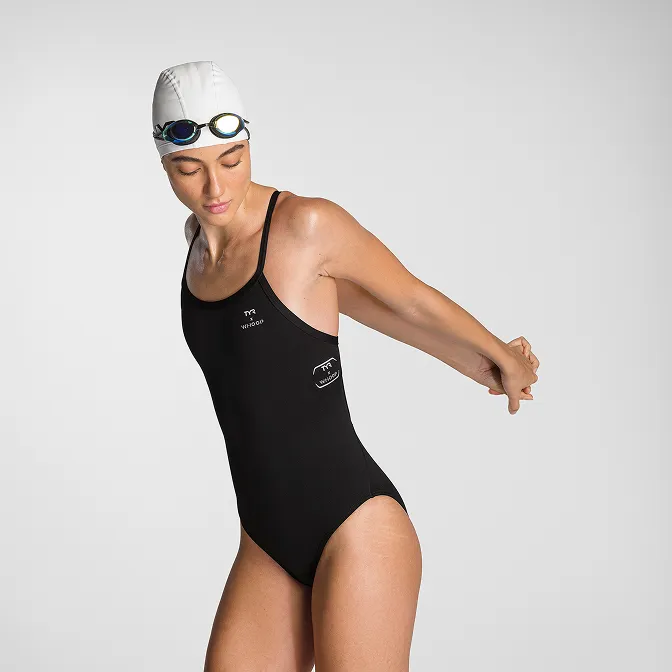
Product A
SQUARE SHOT