

If you sell products online, you already know visuals do most of the selling. But not all product photos serve the same purpose — and using the wrong type in the wrong place quietly costs you clicks, conversions, and credibility.
This guide breaks down every major type of product photography used in e-commerce. For each one, we cover what it is, where it works best — whether that's Amazon, your Shopify PDP, Instagram, or a wholesale catalog — and when to prioritize it in your content mix.
Whether you're preparing your first product launch or rethinking your visual strategy at scale, use this as a reference to make smarter decisions about every image you commission.
What is Tabletop Photography?

Tabletop photography is a still life method where products are placed on a flat surface — a table, sweep, or shooting platform — and photographed in a controlled environment. It's one of the oldest forms of commercial photography, predating e-commerce by decades.
In e-commerce, the term overlaps heavily with product photography and flat lay photography. The distinction is mostly tone: tabletop photography implies a hands-on, often DIY-adjacent approach, while product photography signals a more commercial, platform-ready output. In practice, the techniques are the same.
If you've searched this topic, you've probably also seen 'flat lay photography' and 'still life photography' come up. Flat lay refers specifically to top-down compositions. Still life is the broader art photography term. Tabletop sits in between — practical, versatile, and the default starting point for most product shoots
The Two Main Formats
When it comes to different tabletop photography setups, we can distinguish 2 main types: isolated objects and collages.
1.White Background (Isolated Product)

The industry standard for e-commerce listings. One product, clean white background, no distractions. Required by Amazon, Walmart, and most major marketplaces — and the baseline for any brand selling online.
What a strong white background shot needs:
- Product fills ~70% of the frame
- Pure white background (#FFFFFF)
- Balanced lighting with no harsh shadows
- Sharp focus across the full product
- High resolution (minimum 1000px on the longest side for Amazon; 2000px+ recommended)
When to use: Primary listing images on Amazon, Walmart, eBay, and Shopify PDPs. Every SKU needs at least one.
2. Commercially Styled Images with Props


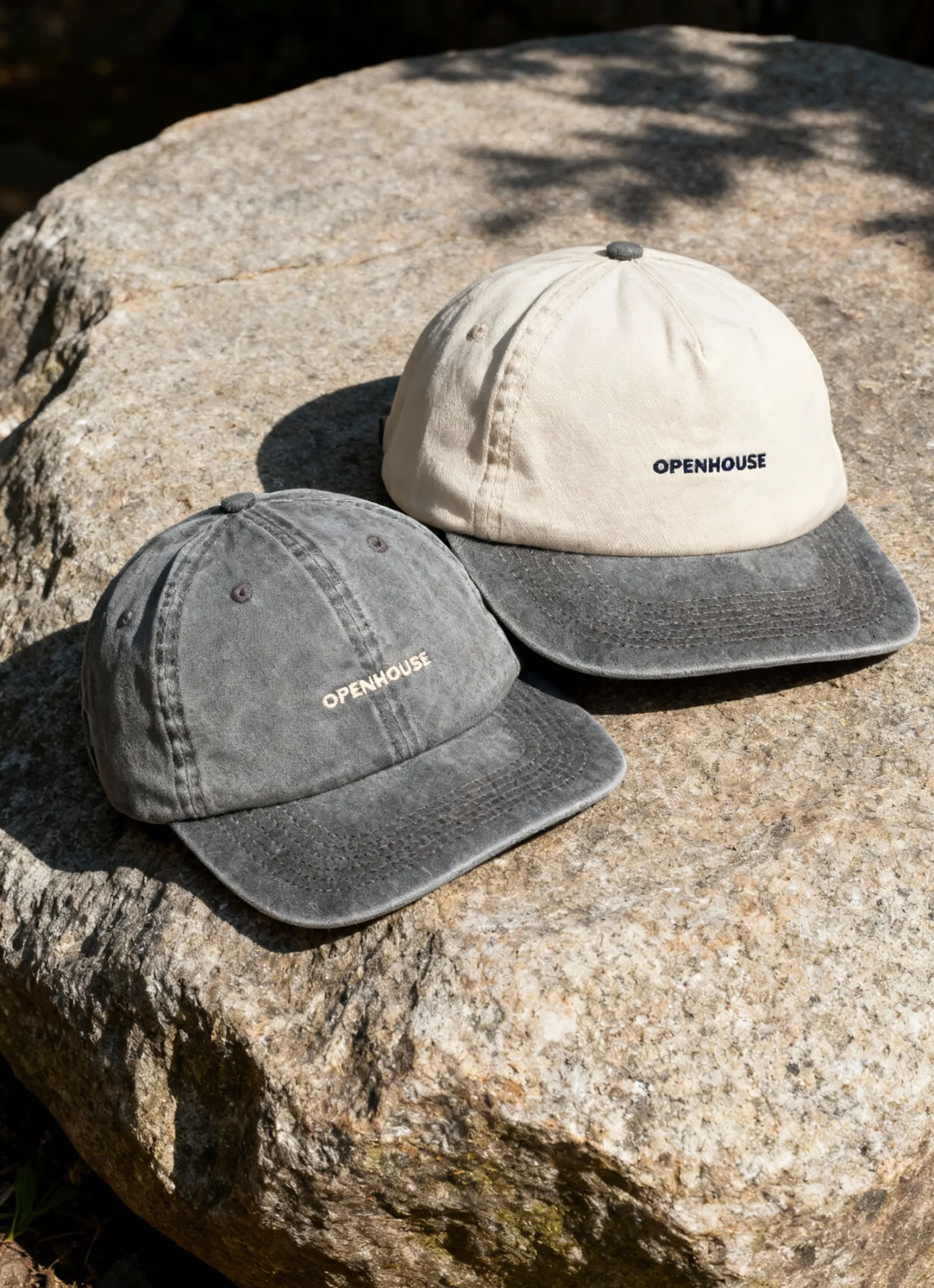
The same product, different purpose. Here, the goal shifts from documentation to storytelling — mood, brand identity, aspirational context. Props, backgrounds, and composition do deliberate work.
What distinguishes styled tabletop shots:
- Props and surfaces set mood and reflect brand tone (marble for premium, raw wood for natural/organic, colored paper for playful).
- Human touch, hands, or subtle gestures add warmth and show scale.
- Composition products are rarely centered; balance and visual tension are intentional.
- Placement used higher up the funnel — in ads, social, email, and campaign assets — not as primary listing images.
When to use: Instagram, TikTok, email campaigns, homepage banners, and secondary PDP images for your own store.
Professional vs. DIY Equipment for Tabletop Photography
Your tabletop setup can range from a simple DIY arrangement to a fully equipped professional workstation — and both can get the job done, depending on your goal.
If you’re photographing a used item for a classifieds listing, natural light and a smartphone will do. Place the product near a window, use a clean surface, and you’ll get a decent result.
But if your goal is to create high-resolution product images for e-commerce, investing in proper gear will save you hours in editing and guarantee consistency across your catalog.
Here’s a quick rundown of the essentials:
Camera. You don’t need to start with a high-end body. Today’s entry-level cameras in the $500 range already deliver great results for tabletop setups. If you’re planning to go deeper into product photography, check out our detailed guide on the best equipment for product photography.
Lens. A macro lens is ideal for capturing small details, textures, or jewelry. But for most tabletop setups, a standard lens will perform just fine — especially when paired with proper lighting.
Tripod or C-Stand. Even an affordable $50 tripod can dramatically improve your image stability. The key is to secure your camera at a 90° angle to the surface for flat lay or top-down shots. If you’re shooting tethered — meaning your camera, lighting, and software are connected via cords — a C-stand with a horizontal arm provides extra reach and control.
Tethering Setup. To shoot tethered, you’ll need reliable cords compatible with your camera and laptop, plus software that supports live capture. This setup allows you to preview and adjust images in real time — a huge advantage in product work.
Lighting Kit. Lighting defines your image. Whether you go for continuous light or strobe, aim for a setup that ensures even illumination and accurate color. Continuous lighting tends to be more beginner-friendly and easier to control for tabletop scenes.
Diffuser. Soft light matters. You can buy a diffuser or make one yourself using cardboard and parchment paper — a classic DIY solution. Larger diffusers or softboxes can help eliminate harsh shadows and create that studio-quality glow.
Reflector. Simple foam boards or reflective panels can bounce light back onto shadowed areas of your product. Many photographers make these themselves, and they’re often as effective as store-bought options.
Handy Extras. Studios rely on small, practical tools — double-sided tape, clamps, hot glue, and compressed air — to hold items in place and keep surfaces spotless. These little helpers can save hours in post-production.
How to Shoot a Tabletop Photo
Every photographer develops their own workflow, but the process usually follows a clear rhythm:
- Set up your table and background. Set up your table or shooting platform at a comfortable height. For flat lays, make sure you have clear vertical access above it. For standing product shots, ensure the background sweeps cleanly from the surface up behind the product with no visible seam.
- Mount your camera. Use a tripod or C-stand. For flat lays: position the camera directly overhead at 90°. For front-facing shots: shoot at or just slightly above the product's eye line. Lock the position before you start lighting — you'll adjust composition with the product, not the camera.
- Arrange your lighting. Position your key light at roughly 45° to the product — either camera-left or camera-right — and slightly above. This creates natural-looking dimensionality. For a pure white background, you'll need to light the background separately or overexpose it in post.
- Add fill.Use a foam board reflector on the opposite side of your key light to bounce light back and reduce shadow density. You want shadows to exist (they give the product shape) but not overpower it.
- Place your product. Center or compose your subject. Take a test shot and check: Is the background pure white? Are the shadows balanced? Is the product sharp across its full surface? Adjust before you start the real sequence.
- Shoot multiple angles. For most e-commerce listings, you need: front, back, side, 3/4 angle, and at least one close-up detail. If the product has a top surface (like a jar or box), include a top-down shot.
- Edit and export. Color-correct for accurate representation, remove dust or imperfections, and export at the required resolution for your platform. For Amazon: minimum 1000px on the long side, sRGB color space.
While this process may look straightforward, tabletop photography is a game of precision. Every inch of light, every surface reflection, and every prop placement counts toward that polished, commercial look.
Tips & Best Practices
Your Brief Shouldn’t Be Brief
If you’re shooting for a client, clarity is everything. The best shoots start with a comprehensive brief — one that covers the list of required shots, preferred angles, visual references, and final usage channels. A detailed brief keeps the creative direction aligned and minimizes back-and-forth during production.
Prep Your Props in Advance
When working on styled tabletop photography, preparation is half the success. Thoughtful props and textured backgrounds can transform a simple setup into a scroll-stopper. Think weathered wood or concrete surfaces for masculine products, and succulents, notebooks, or a coffee cup for lifestyle or office-related scenes. The key is to choose elements that enhance, not distract from, your main subject.
Composition Comes with Practice
Your hero product doesn’t always need to sit in the center. Sometimes, placing it off to the side or slightly angled creates a more dynamic frame. The secret to great composition lies in two things:
- Exposure to examples. The more product imagery you study, the sharper your visual intuition becomes. You’ll start noticing what works — and what doesn’t — in other people’s setups.
- Experimentation. Don’t hesitate to move things around. Take a few test shots, tweak the layout, and observe how light and shadow interact with your objects. Over time, composition becomes instinctive — a skill that evolves from repetition and curiosity.
Lighting for Tabletop Photography
Lighting is the variable that separates professional-looking product shots from amateur ones. The setup is usually simpler than people expect.
Continuous vs. Strobe
- Continuous LED lights stay on during the shoot, letting you see the effect in real time. Easier to learn with, lower cost, and sufficient for most tabletop work.
- Strobe/flash is more powerful, freezes motion, and produces cleaner color in high-volume studio setups. Higher ceiling, higher cost.
For most e-commerce tabletop work, continuous LEDs are the right starting point.
Basic 2-Light Setup
- Key light main light source, positioned at 45° to the side and slightly above the product
- Fill light or reflector opposite the key, reduces shadow density without eliminating it
For white background shots, add a third light pointed at the background itself, or use a high-key setup where the background is significantly overexposed relative to the product.
Natural Light (Budget Option)
A north-facing window on an overcast day produces soft, diffused light that works well for still tabletop setups. Limitations: no consistency shoot-to-shoot, no control over color temperature, and shadows shift as the day progresses.
Fine for testing and early-stage brands, but difficult to scale.
Tabletop Photography Ideas
1. Set the Mood with Backgrounds

The background is the fastest way to change the tone of an image. A bright orange sweep adds energy. Folded silk elevates accessories. Raw concrete reads as editorial. Pastel paper suits beauty and skincare.
Match the background to where the image will live: bold colors for social and ads, neutral surfaces for PDP secondary images, pure white for marketplace compliance.
2. Add Props that Make Sense
Props give context and help viewers imagine how a product fits into their life. For skincare, mix in other cosmetics or application tools. For supplements, add natural ingredients. For jewelry, consider showing the craft behind it — a pair of pliers, beads, or a velvet tray. And for a pair of fluffy boots a kitten playing around may be a fit.

Keep it intentional. Every element in the frame should serve the story.
3. Use Natural Light and a Smartphone for Budget Shots
Budget shoots are often a starting point for many entrepreneurs — and an important learning curve. If you’re going that route, make it count: use natural light, keep your setup clean, and learn from a few solid YouTube tutorials. Grab your smartphone, find a bright day, and experiment. Every great photo journey starts somewhere.
Quick Reference: Common Mistakes
- Uneven lighting one side too bright, one too dark — usually fixed by adding a reflector or moving the fill
- Background isn't truly white check with a histogram; anything below 245–255 will need correction in post
- Dust and lint in frame clean the product and surface before every sequence, not just at the start
- Too many props styled shots fail when they lose focus — the product should always read first
- Inconsistent angles across a catalog set a fixed camera position for each shot type, and don't move it between products
- Skipping the detail shot close-ups is often the image that closes the sale, especially for premium products
DIY vs. Hiring a Studio
DIY works well as a starting point — especially for testing, classifieds, or early-stage brands that need to move fast. The limitations show up at volume: inconsistency between shoots, time spent in post-production, and difficulty maintaining quality as the catalog grows.
A professional studio makes sense when:
- You're launching on Amazon or a major marketplace and need compliant, high-quality primary images
- You're building a catalog of 20+ SKUs and need consistency across all of them
- Your brand positioning depends on how the product looks — premium, editorial, or elevated
- You've outgrown DIY, and the editing backlog is becoming a bottleneck
Squareshot works with e-commerce brands on per-image and membership models from our New York studio. Great tabletop photography doesn't require a big production. We handle the setup, lighting, and retouching — you get catalog-ready images, delivered fast.

Product A
SQUARE SHOT